Nginx Common Mistakes for Trading Bots
Setting up a trading bot can be a complex task, especially when configuring the infrastructure that it runs on. One of the most crucial components in this infrastructure is the web server, often Nginx. While Nginx is renowned for its speed and efficiency, improper configuration can lead to serious performance issues or even outages. This article aims to highlight common mistakes made by developers and system administrators while setting up Nginx for trading bots and how to avoid them.
Understanding Nginx Basics
Nginx (pronounced “engine-x”) is an open-source web server that is also used as a reverse proxy, load balancer, and HTTP cache. It is known for its high performance, stability, and low resource consumption, which makes it a popular choice for serving a wide range of applications including trading bots.
Why Nginx for Trading Bots?
The primary reasons for using Nginx include:
- High concurrency handling, essential for trading applications with many simultaneous requests.
- Efficient resource usage, which helps in maintaining low latency.
- Robust security features that are vital for protecting sensitive trading data.
Common Mistakes in Nginx Configuration
1. Improper Load Balancing Configuration
Trading bots often rely on multiple servers to process data and execute trades. Improper load balancing can lead to uneven load distribution, which may cause some servers to become overwhelmed while others are underutilized.
upstream trading_backend {
    server backend1.example.com;
    server backend2.example.com;
    # Incorrectly setting up load balancing can lead to issues
}
**Solution:** Always test your load balancing configuration by simulating traffic before going live. Ensure you have health checks in place to detect unresponsive servers.
2. Ignoring Caching Mechanisms
Nginx can cache responses to reduce the load on upstream servers, but misconfiguring caching can lead to outdated data being served to the trading bot.
location /api {
    proxy_pass http://backend;
    # Missing cache settings can cause performance issues
}
**Solution:** Implement proper caching strategies. Use the below configuration snippet to cache responses:
proxy_cache_path /var/cache/nginx levels=1:2 keys_zone=my_cache:10m;
location /api {
    proxy_pass http://backend;
    proxy_cache my_cache;
    proxy_cache_valid 200 1m;  # Cache successful responses for 1 minute
}
3. Misconfigured SSL Settings
The integrity and security of trading data are paramount. Failure to properly configure SSL can expose sensitive information.
server {
    listen 443 ssl;
    server_name trading.example.com;

    ssl_certificate /etc/ssl/certs/example.crt;  # Check for correct paths
    ssl_certificate_key /etc/ssl/private/example.key;  # Check for correct paths
}
**Solution:** Use strong encryption settings and ensure the paths to certificate files are correct. A sample SSL configuration could look like this:
ssl_protocols TLSv1.2 TLSv1.3;
ssl_ciphers 'HIGH:!aNULL:!MD5';
ssl_prefer_server_ciphers on;
4. Inadequate Rate Limiting
Trading bots often send numerous requests in a short time, especially during market volatility. Without rate limiting, you may inadvertently overload your server.
server {
    location /api {
        # Missing rate limiting can lead to performance degradation
    }
}
**Solution:** Apply rate limiting to control the number of requests a client can make:
limit_req_zone $binary_remote_addr zone=one:10m rate=5r/s;  # 5 requests per second
server {
    location /api {
        limit_req zone=one burst=10;
    }
}
5. Neglecting Error Logging
Error logging is essential for troubleshooting issues, yet many users forget to enable or configure it properly. Without logs, diagnosing problems will be nearly impossible.
http {
    # Missing access and error logs configuration
    access_log /var/log/nginx/access.log;
    error_log /var/log/nginx/error.log;
}
**Solution:** Ensure that logging is enabled and configure log rotation to prevent files from becoming too large:
http {
    log_format combined '$remote_addr - $remote_user [$time_local] "$request" '
                      '$status $body_bytes_sent "$http_referer" '
                      '"$http_user_agent" "$http_x_forwarded_for"';
    access_log /var/log/nginx/access.log combined;
    error_log /var/log/nginx/error.log warn;
}
6. Not Using HTTP/2
HTTP/2 can significantly improve performance by allowing multiple requests to be sent over a single connection. Not enabling it can lead to increased latency.
server {
    listen 443 ssl http2;  # Missing http2 can slow down responses
}
**Solution:** Ensure that the `http2` option is enabled in your server block. It’s a simple addition that can yield better performance.
Checklist for Nginx Configuration for Trading Bots
| Configuration Item | Status (✔/✘) | Notes |
|---|---|---|
| Load Balancing Configured | ✔ | Ensure traffic is distributed evenly. |
| Caching Mechanisms Implemented | ✔ | Cache valid response times set appropriately. |
| SSL Configured with Strong Encryption | ✔ | Paths to cert files are correct. |
| Rate Limiting in Place | ✔ | Limits are defined based on expected traffic. |
| Error Logging Enabled | ✔ | Logs are monitored regularly. |
| HTTP/2 Enabled | ✔ | Performance benefits realized. |
Conclusion
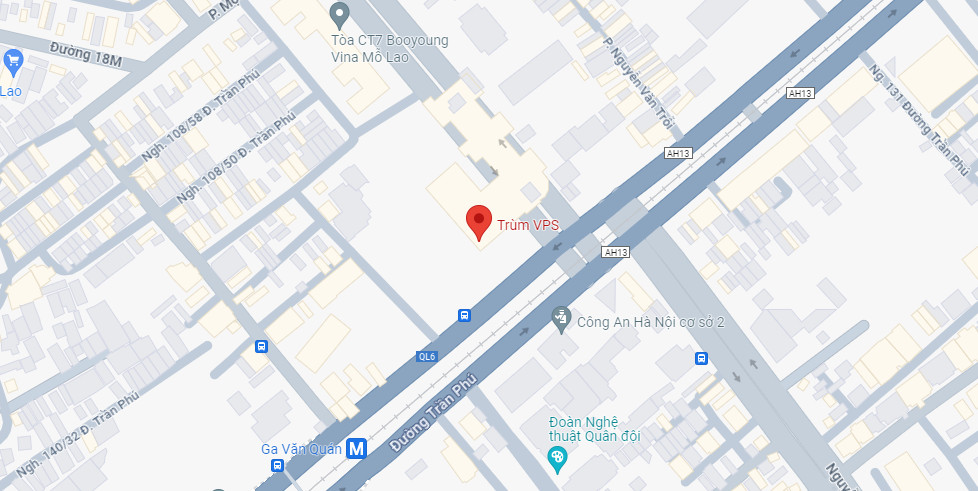
Setting up Nginx for a trading bot is a task that requires careful attention to detail. By avoiding common mistakes and following best practices, you can ensure that your trading bot operates smoothly and efficiently. Always test configurations in a staging environment, keep your software updated, and monitor performance regularly. For those seeking VPS solutions to host their trading bots, it’s worth exploring options such as Trum VPS for your infrastructure needs.